|
|
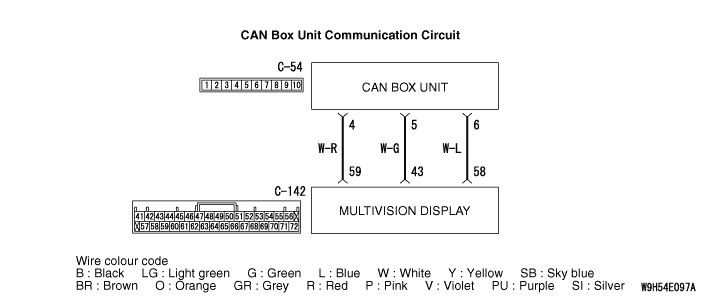
Perform "Network/Connect Line Check" of the MMCS service mode, and check that the communication between the CAN box unit and the multivision display is normal. (Refer to  .) .)
|
|
|
Q.
Is the check result normal?
|
|
|
Use the M.U.T.-III to diagnose the CAN bus lines.
|
|
|
Q.
Is the check result normal?
|
|
|
 Repair the CAN bus line (Refer to GROUP 54C - Troubleshooting ). Repair the CAN bus line (Refer to GROUP 54C - Troubleshooting ).
|
|
|
|
|
|
Q.
Is the check result normal?
|
|
|
Repair or replace the damaged component(s).
|
|
|
|
|
|
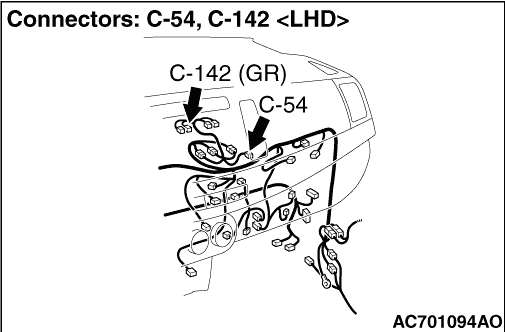
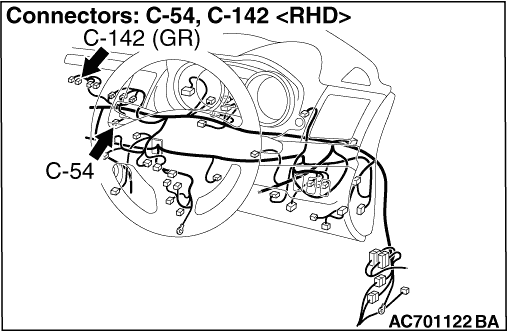
Check the communication lines for open circuit or short circuit.
|
|
|
Q.
Is the check result normal?
|
|
|
Repair the wiring harness.
|
|
|
|
|
|
Check again if the diagnosis code is set to the CAN box unit.
|
|
|
(1)Erase the diagnosis code.
|
|
|
(2)Turn the ignition switch from "LOCK" (OFF) position to "ON" position.
|
|
|
(3)Check if diagnosis code is set.
|
|
|
Q.
Is the diagnosis code set?
|
|
|
 Replace the CAN box unit temporarily and go to Step 6. Replace the CAN box unit temporarily and go to Step 6.
|
|
|
|
|
|
The diagnosis is complete.
|
|
|
|
|
|
Check again if the diagnosis code is set to the CAN box unit.
|
|
|
(1)Erase the diagnosis code.
|
|
|
(2)Turn the ignition switch from "LOCK" (OFF) position to "ON" position.
|
|
|
(3)Check if diagnosis code is set.
|
|
|
Q.
Is the diagnosis code set?
|
|
|
Replace the multivision display.
|
|
|
|
|
|
Replace the CAN box unit.
|
|
|
|