|
|
In compass setting, when the compass azimuth display is abnormal, the display can be repaired by performing the following operations.
|
|
|
- Declination calibration: Check that the declination calibrated value is the same as the one for the area that vehicle is in now.
- Compass calibration: Overwrites the compass azimuth circle.
|
|
|
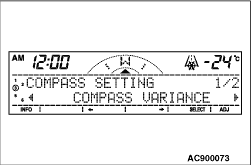
1.The "COMPASS SETTING" screen is displayed with the user customisation function in the RV meter. (Refer to  .) .)
|
|
2.When the "COMPASS VARIANCE" screen is displayed, press the [SELECT]
button.
|
|
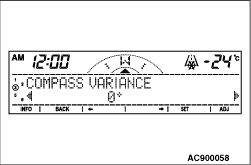
3.The declination calibrated value currently set is indicated.
| note |
If "11°
EAST" is indicated, it means that the calculated value of compass is calibrated from north to east by 11°
to be displayed on the centre display.
|
The initial value of declination calibration is set to 0°.
|
|
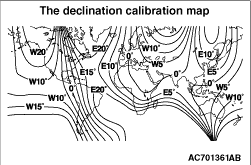
4.Referring to the value on the declination calibration map, adjust the declination calibrated value by pressing the [←]
button and the [→]
button, so that the value becomes nearest to the value for the area that the vehicle is in now.
| note |
The declination calibrated value can be set between 28°WEST and 28°EAST at 1°intervals.
|
5.After the declination calibrated value is adjusted, press the [SET]
button. The screen flashes twice and the value is stored.
|
|
6.Press the [BACK]
button to return to the "COMPASS VARIANCE" screen.
|
|
|
1.The "COMPASS SETTING" screen is displayed with the user customisation function in the RV meter.
|
|
2.When the "COMPASS VARIANCE" screen is displayed, press the [SELECT]
button.
3.Press the [←]
button or the [→]
button.
|
|
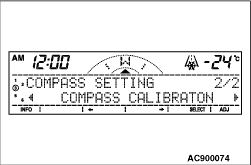
4.When the "COMPASS CALIBRATION" screen is displayed, press the [SELECT]
button.
|
|
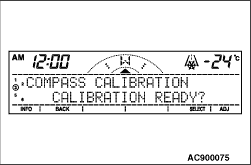
5.When "CALIBRATION READY?" is indicated, press the [SELECT]
button.
|
|
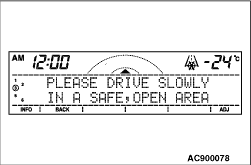
6.When "PLEASE DRIVE SLOWLY IN A SAFE, OPEN AREA" is indicated, turn the vehicle 360°
in a safe and open area.
|
|
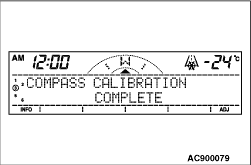
7."COMPASS CALIBRATION COMPLETE" is indicated with a blip, and the compass calibration is completed. When three seconds have elapsed after completion, the information screen is displayed.
|
|
| note |
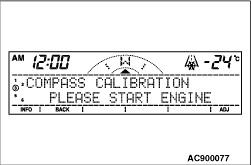
- When the engine is stopped during compass calibration, "PLEASE START ENGINE" is displayed. Perform compass calibration with the engine running.
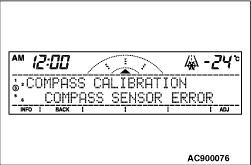
- If the compass sensor is not normal during compass calibration, "COMPASS SENSOR ERROR" is displayed. In this case, perform RV meter troubleshooting "The compass does not indicate normally". (Refer to .)
|
|