|
|
Check the items below in the MMCS service mode. (Refer to  .)
|
|
|
- Perform "Network/Connect Line Check" in the MMCS service mode to check that the communication and wire connection with the GPS are in good condition.
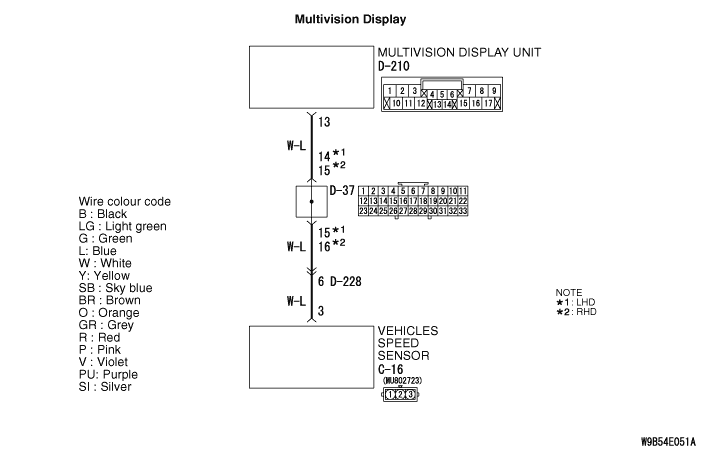
- Perform "Vehicle Signal Check", and then check the status of the vehicle speed signal.
- Perform "Sensor Check", and then check the status of the vehicle speed sensor and the gyro sensor.
|
|
|
Q.
Is the check result normal?
|
|
|
YES (OK for all) : Go to Step 6.
|
|
|
|
|
|
NO (GPS is not OK) : Go to Step 2.
|
|
|
|
|
|
NO (The vehicle speed sensor is not OK, or vehicle speed pulse does not increase after starting from a standstill) : Go to Step 3.
|
|
|
|
|
|
NO (Gyro sensor is not OK) : Go to Step 6.
|
|
|
|
|
|
(1)Start the multivision display.
|
|
|
(2)Press the [INFO] button.
|
|
|
(3)Select [Vehicle Position].
|
|
|
(4)Check if the GPS signals are received.
|
|
|
Q.
Is the check result normal?
|
|
|
 Perform Inspection Procedure "GPS signal cannot be received" (Refer to .), and then go to Step 6.
|
|
|
|
|
|
Check whether the speedometer works normally. (Refer to .)
|
|
|
Q.
Is the check result normal?
|
|
|
Diagnose the combination meter. (Refer to Combination meter - Troubleshooting .)
|
|
|
|
|
|
Q.
Is the check result normal?
|
|
|
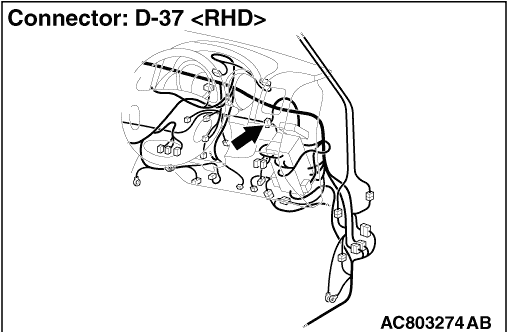
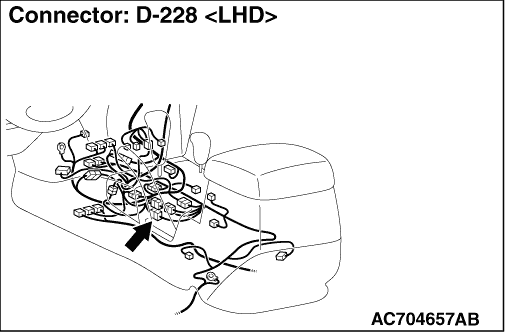
Repair the defective connector.
|
|
|
|
|
|
- Check the communication lines for open circuit and short circuit.
|
|
|
Q.
Is the check result normal?
|
|
|
Repair the wiring harness.
|
|
|
|
|
|
Drive the vehicle for some time with the GPS signals being received, and check if the own vehicle mark is dislocated.
|
|
|
Q.
Is the check result normal?
|
|
|
 The trouble can be an intermittent malfunction (Refer to GROUP 00 - How to use Troubleshooting/inspection Service Points - How to Cope with Intermittent Malfunction ).
|
|
|
|
|
|
Replace the multivision display.
|
|
|
|